
A content-rich intranet is an internal company website that is designed to provide a wealth of useful information and resources to employees. It can include company news and announcements, guides and how-to’s, calendars and events, collaboration and communication tools, and more. By using a content management tool like SharePoint, it is possible to easily create and manage a content-rich intranet for a business.
Let’s see together what are the key steps to have a content-rich intranet.
What is SharePoint?
SharePoint is a collaboration and content management platform developed by Microsoft. Simply put, it’s a tool that allows your company to create internal websites where employees can share, organize, and collaborate on documents and information.
In practice, SharePoint offers several possibilities:
Create company intranets to centralize all your organization’s key information
Manage documents with shared libraries and automatic version control
Facilitate teamwork through dedicated collaboration spaces
Integrate seamlessly with other Microsoft 365 tools such as Teams, Outlook, and OneDrive
The main advantage of SharePoint? It transforms the way your employees access information. No more wasting time searching for documents in multiple folders or sending endless emails to find the right information—everything becomes centralized and easily accessible.
Whether you want to create a simple team site or deploy a full SharePoint intranet for your organization, this platform adapts to your specific needs and grows with your business.
1. Define your intranet goals and specific needs
Before you begin, take time to clearly define your objectives:
What do you hope to accomplish with your SharePoint space?
What are your organization’s specific needs in terms of communication and collaboration?
What type of document management do you want to implement?
This planning step is crucial for identifying the features that will truly be useful to you.
For example, if your priority is improving internal communication, you might focus on a news system and an event calendar.
If collaboration is your main concern, prioritize SharePoint file sharing and project management tools.
2. Involve your employees in the creation process
Your employees are the future users of the intranet! Their involvement is essential to ensure adoption.
Ask them what they would like to see on the intranet and consider their suggestions.
This collaborative approach creates a sense of ownership that will encourage regular use—a virtuous cycle for your project’s success.
Organize consultation sessions to gather their needs and ideas.
You may discover features you hadn’t thought of!
3. Organize your intranet content intelligently
An intuitive navigation structure makes all the difference for user experience. Here’s how:
Use clear titles and relevant keywords to make searching easier
Create a logical structure with well-defined categories
Provide quick links to the most frequently accessed resources
Organize your SharePoint files into well-structured document libraries
MS Solutions’ tip: Follow the five-subfolder rule to avoid overly complex structures. Users should be able to find what they need in just a few clicks!
4. Identify and train key contributors
For each type of content, assign responsible persons to create, update, and maintain the materials:
Marketing: logos, presentation templates, communication materials
HR: procedures, org charts, employee guides
IT: technical documentation, tutorials
Management: news, official communications
In larger organizations, create a dedicated Microsoft group to manage the intranet.
Also, plan for backup staff to ensure continuity.
5. Invest in training your teams
Your employees need two key resources: time and skills.
Set aside time in their workload to create and maintain content—this is a critical but often overlooked success factor!
Provide proper SharePoint designer and administrator training so they can master the tools and best practices.
A well-trained team produces high-quality content and keeps the intranet dynamic and engaging.
6. Keep your intranet up to date and relevant
An outdated intranet quickly loses its value. Establish a regular update routine:
Publish new announcements and news frequently
Review and refresh existing resources
Remove outdated content to avoid confusion
Monitor user comments and suggestions
Use SharePoint’s version control features to track changes and roll back if necessary.
7. Analyze usage with built-in tools
Usage data is a goldmine for optimizing your intranet. Analyze:
The most and least visited pages
Time spent on each section
The most common search terms
User navigation paths
These insights will help you adjust your content, highlight popular resources, and identify unmet needs.
The goal: to build an intranet that evolves with your team’s real needs.
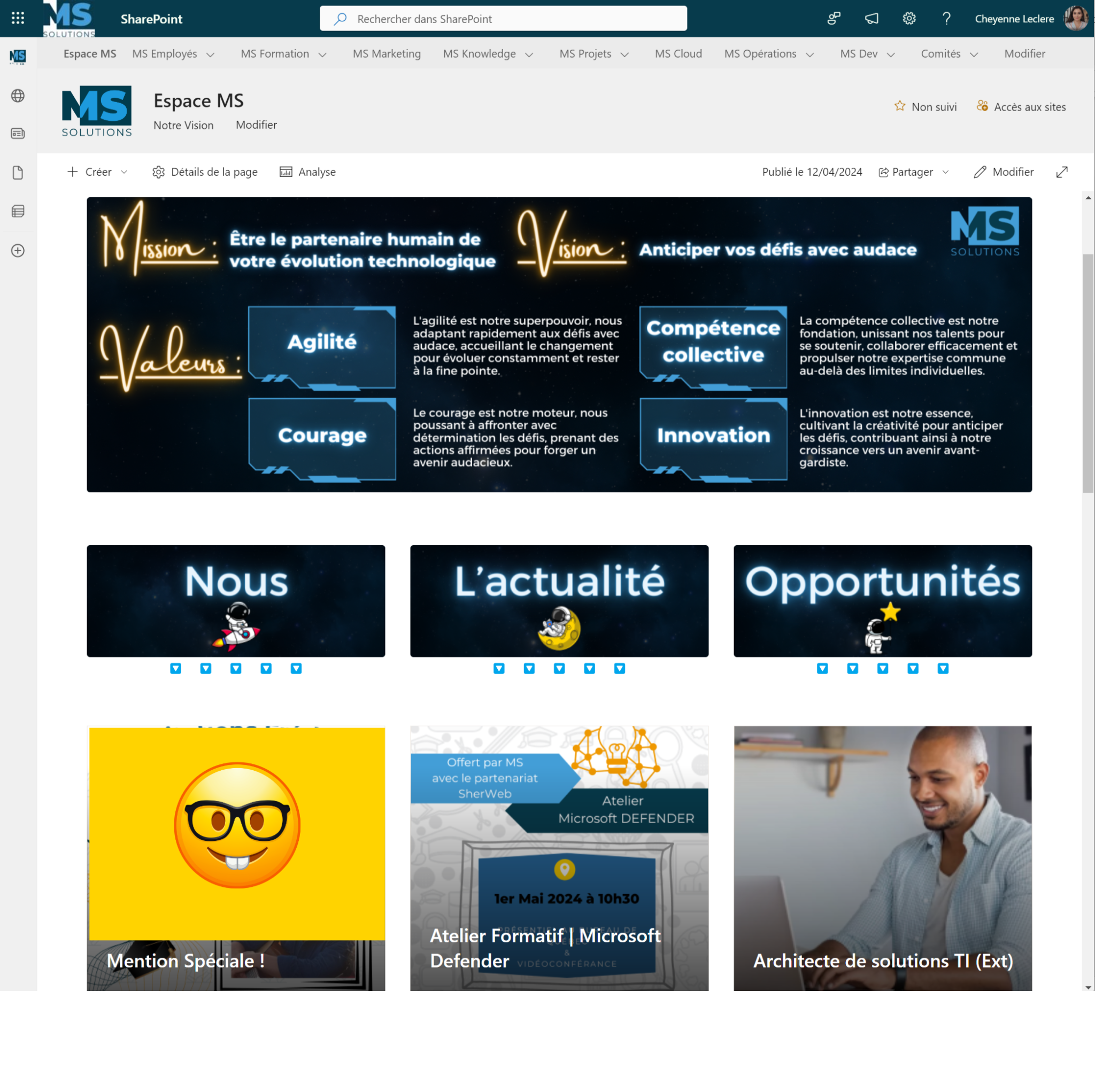
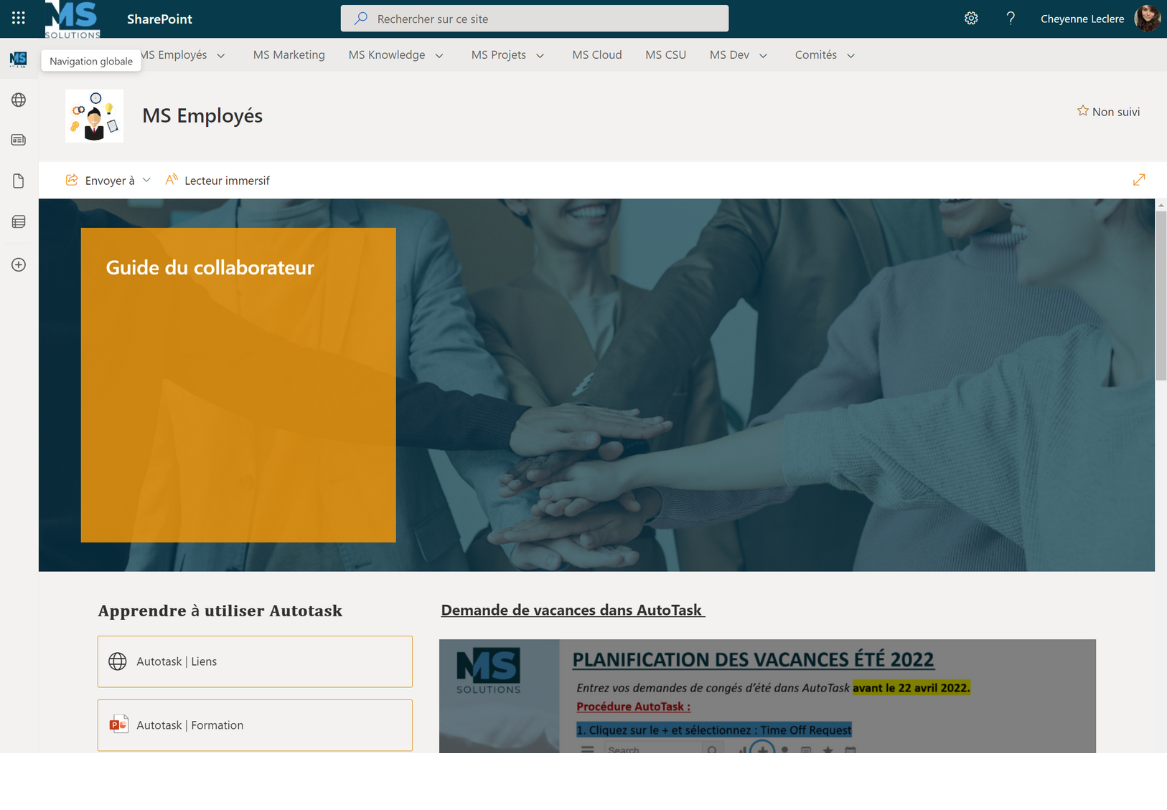
The MS Solutions SharePoint intranet
What could be better than a concrete example to show you the range of possibilities offered by SharePoint for the design of your future intranet. To do this, we are proud to open the doors of the MS Solutions SharePoint intranet to you.
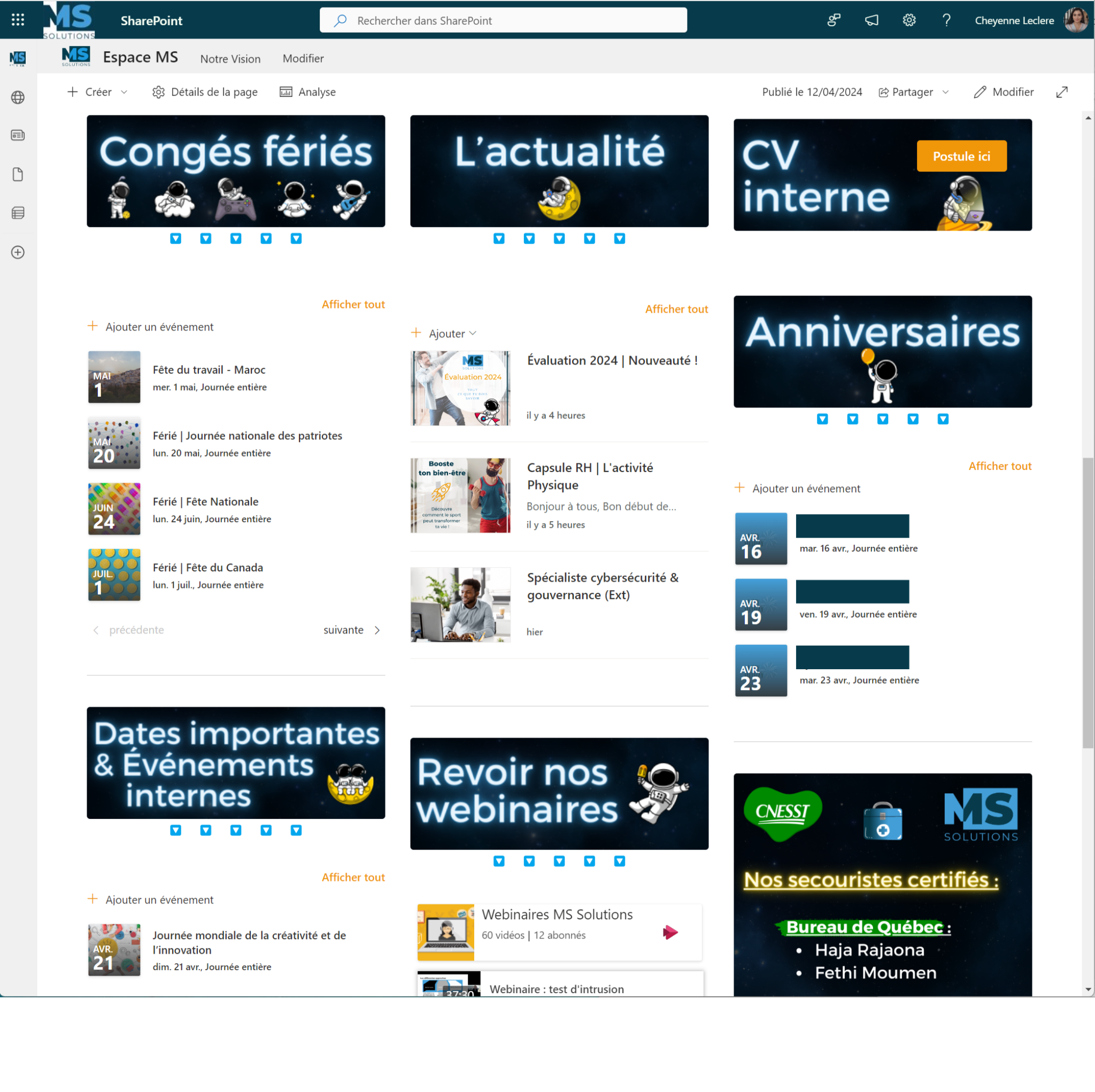
We thought of this intranet to be a real meeting point and resource for our employees. Our employees find there daily information, photos and presentations of new arrivals, public holidays, etc. All kinds of useful information for the proper functioning of the company. We also share our surveys and important documents to send to everyone.
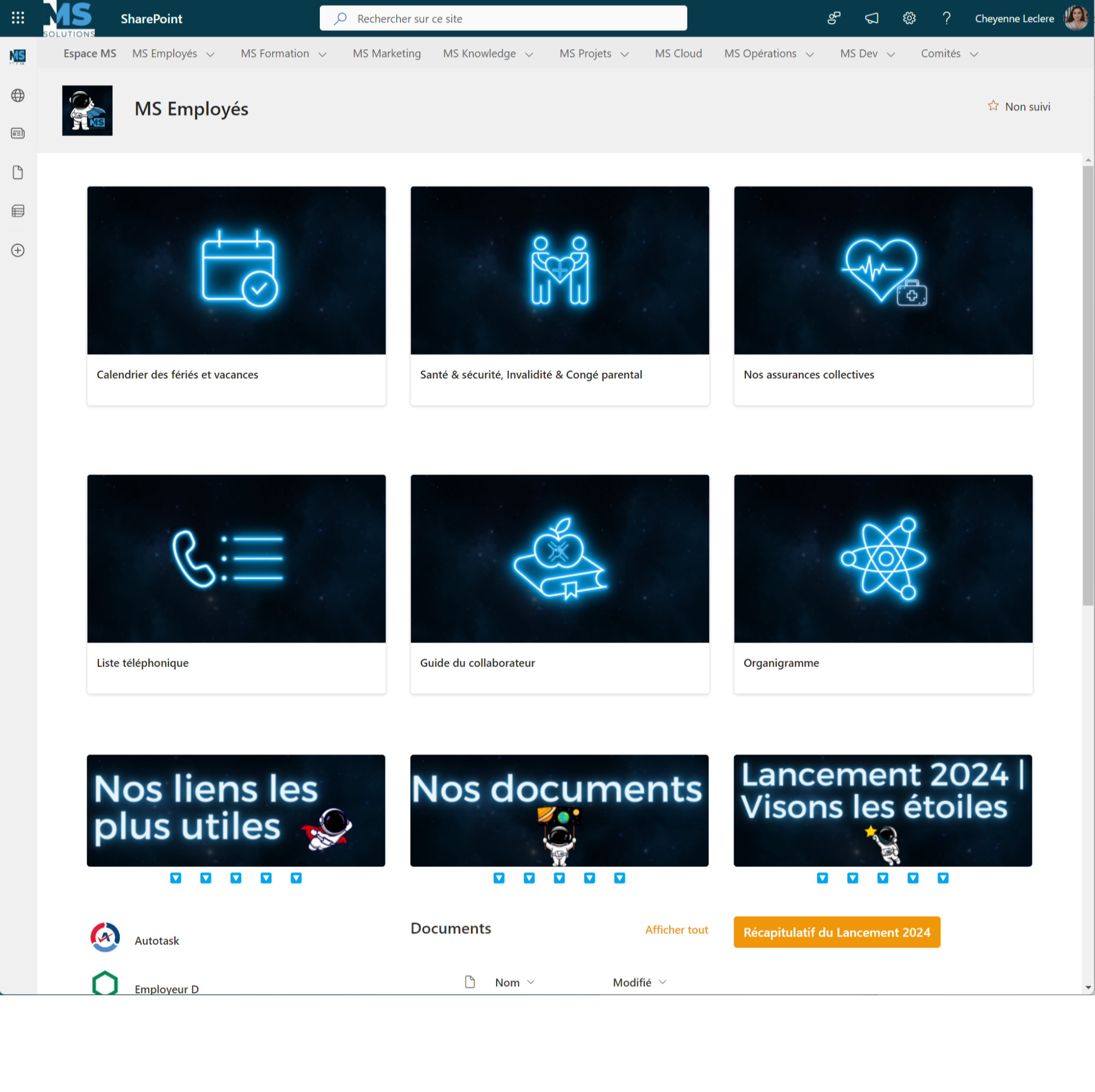
Our intranet is divided into several spaces so that everyone can find the information they are looking for intuitively.
- Espace MS : general life of the company (presentation of new arrivals, news, public holidays, current survey, etc.)
- MS Employés : what is related to human resources (organization charts, collective insurance, time sheets, contacts, employee guide, etc.)
- MS Marketing : centralizes communication media and graphic design tools (sales media, webinars, logos, etc.)
- MS Knowledge : our knowledge base with all useful tutorials and technical resources
- MS Formation : Training to use our tools…
Each space is supplied by an assigned manager so that the supports are kept up to date.
In short
To create a content-rich intranet with SharePoint, it’s important to define intranet goals and involve employees in the creation process. You should also pay attention to content organization and use collaboration tools to encourage employee participation. By implementing versioning and access control systems, you can ensure that only authorized content is published on the intranet. Finally, don’t forget to update the intranet regularly and use analytics tools to get data on what works and what doesn’t. By following these tips, you should be able to create a content-rich and effective intranet with SharePoint.
From training to support in the creation of your SharePoint intranet, MS Solutions can support you in different ways in your journey. Contact our experts to discuss your needs and concerns.